Run a one-partner practice without being the bottleneck
When the firm is you and a couple of staff, every deadline, document and payment lives in your head. ERPCA takes that load off you — from the first login, in about three days — so you can take on more clients without taking on more admin.

Sounds familiar?
- Due dates are tracked in Excel, a diary and memory — and one slips every season.
- Clients send documents on WhatsApp, then call to ask what is pending.
- Fees are raised late, chased personally, and a few are never raised at all.
- Every hour you spend on admin is an hour you are not billing.
On the growth journey
Firms like this are usually at the 🗂️ Control stage — from chaos to control. Read the playbook.
How ERPCA fixes it
One calendar for every client
GST, TDS, ITR, ROC — every statutory date for every client in one place, with reminders that escalate to you only when something is actually late.
Task management →One door for documents
A client portal and mobile app where clients upload what you asked for and see what is pending — so they stop calling, and you stop searching chats.
Client portal →Bill from the work itself
When a task closes, the invoice is a click away, with a payment link. Unbilled work is visible every week, not discovered at year-end.
Billing & receipts →Live in three days
Import clients from Excel or Tally, pick your standard workflows, and start. Our team sets it up with you — no IT, no consultants.
How it works →What this looks like on a normal Tuesday
One screen the partner opens in the morning: what is due, who is on it, what is stuck, and what has been billed. The same data the team works in all day — no separate report to prepare.
See it with your own clients →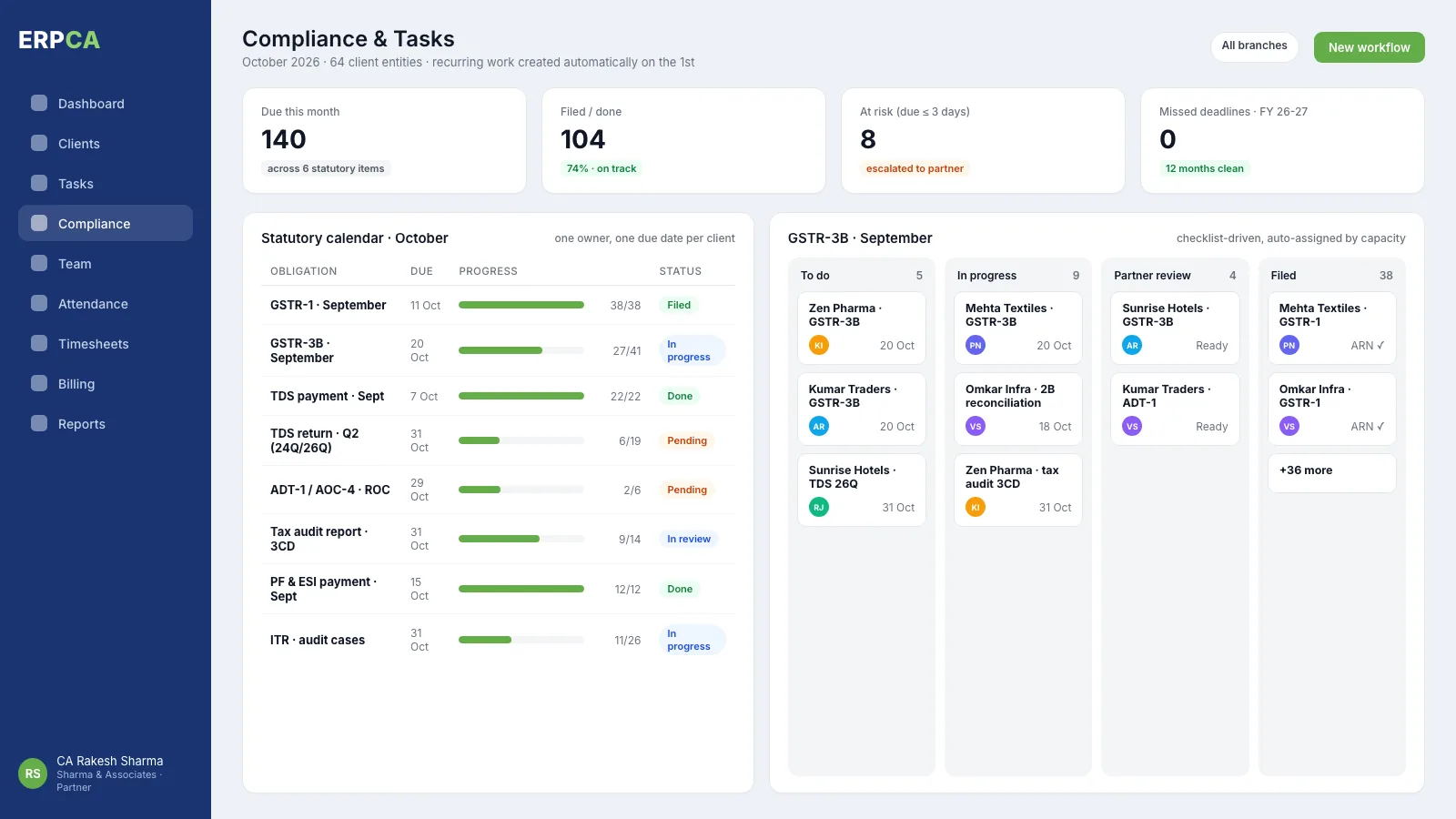
What you would use on ERPCA
Everything above is part of one platform — switch on what you need, add the rest as the firm grows. See plans.

Proof
3 days
from first login to a complete compliance calendar for every client
How a traditional CA firm stopped revenue leakage with ERPCA
Read how a practice like yours made the change, what it chose to switch on first, and what it got back.
Questions firms like yours ask
Is ERPCA too much for a one-person practice?
No. Most solo practitioners use four things on day one — the compliance calendar, tasks, the client portal and billing — and switch on the rest (timesheets, payroll, analytics) only when they hire. You pay for what you use.
Do I have to migrate everything myself?
No. Our onboarding team imports your client list from Excel or Tally, sets up your recurring work, and trains you — most solo firms are live in about three working days.
Will my clients actually use a portal?
Yes, once you tell them it is the only door. Clients get a WhatsApp or email reminder with a link; uploading takes them less time than calling you did.
More by firm size
See it on your own firm's numbers
Thirty minutes, on a call, with your clients and workflows rather than a demo account. Live in about three days if you go ahead.