Attendance Correction Process
To enable and process attendance correction requests, please follow the steps below:Step 1: Enable Attendance Modification Option (Admin Login)Go to System Configuration.Open Atten…
To enable and process attendance correction requests, please follow the steps below:
Step 1: Enable Attendance Modification Option (Admin Login)
Go to System Configuration.
Open Attendance Settings.
Find the option “View Attendance Modification Requests”.
Set it to Yes.
Click Save.
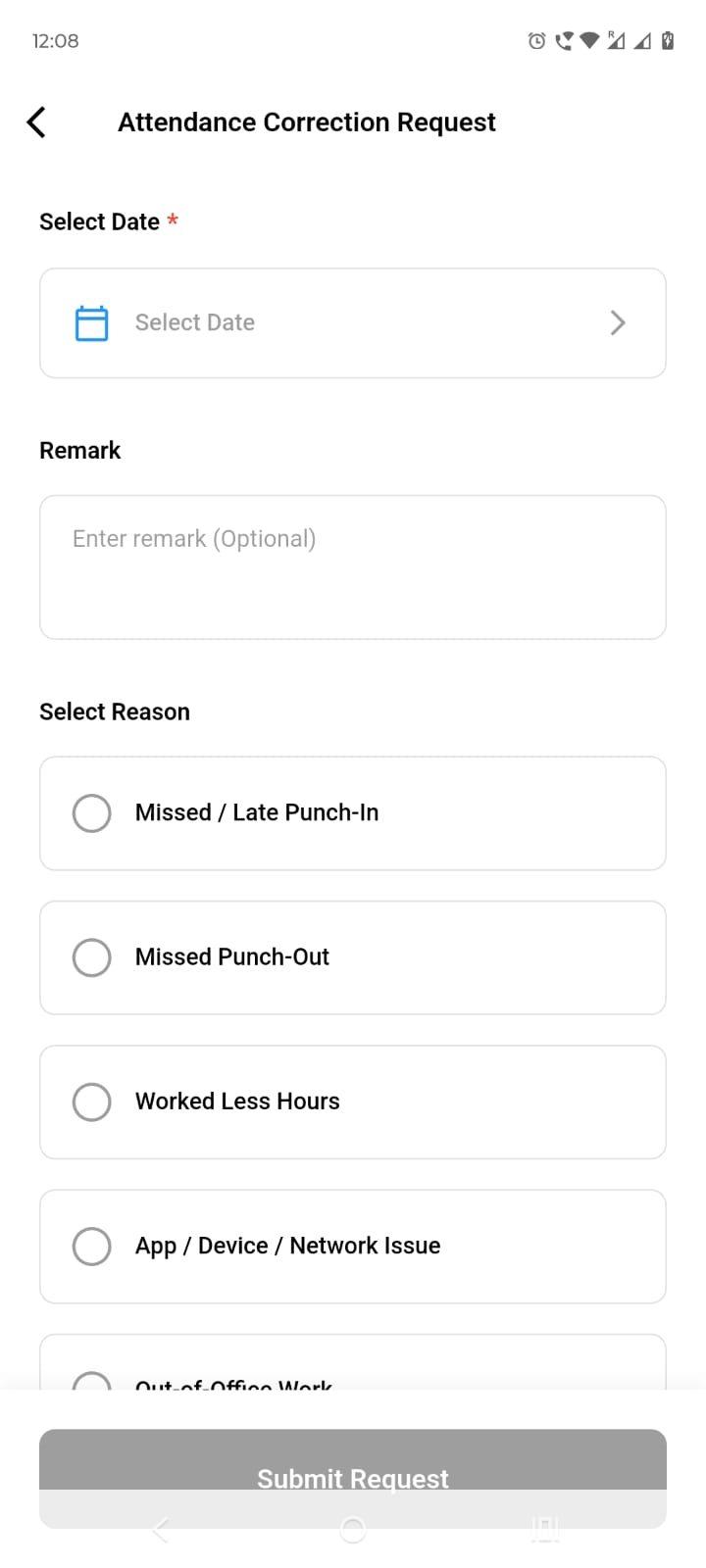
Step 2: Employee Raises Correction Request
Log in through the Employee Login (erPCA User Mobile App).
Submit an Attendance Correction Request to Admin or HR.
Step 3: Approval & Update
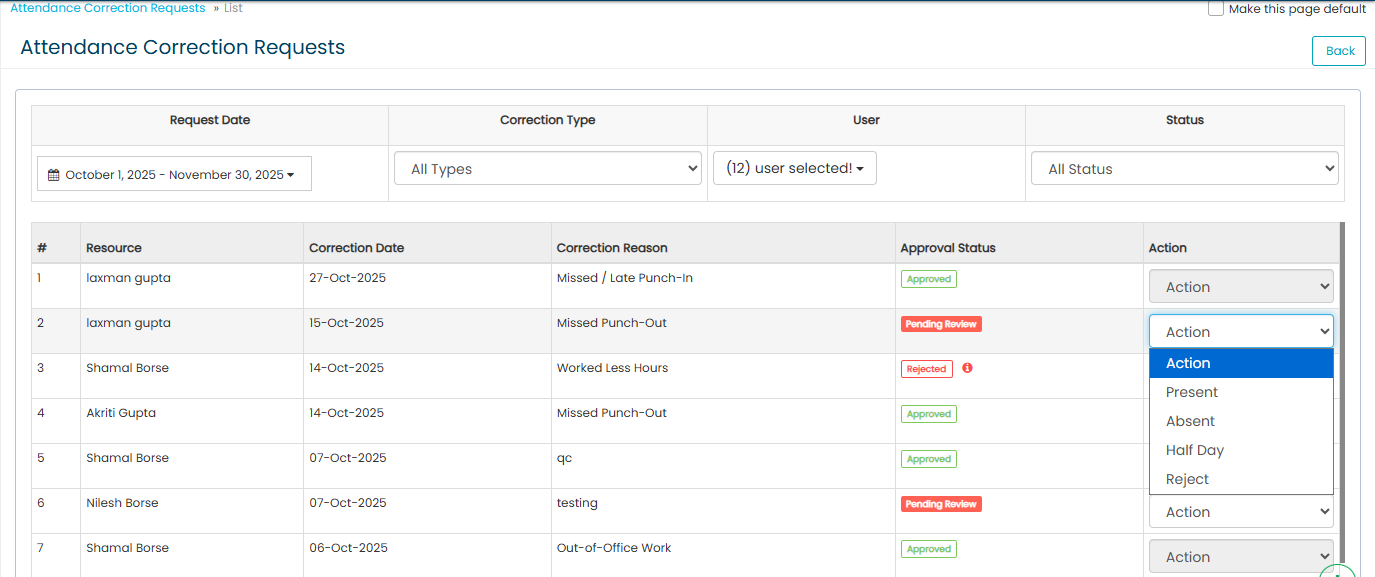
After the request is submitted, Admin or HR can review and approve the request.
Once approved, Admin or HR can update the attendance record accordingly.

Updated 18 Feb 2026 · View on support.erpca.com