Vistor Directory
Visitor DirectoryThe Visitor Directory section allows users to view visitor records, search for specific visitors, filter records based on different criteria, and export visitor in…
Visitor Directory
The Visitor Directory section allows users to view visitor records, search for specific visitors, filter records based on different criteria, and export visitor information to Excel.
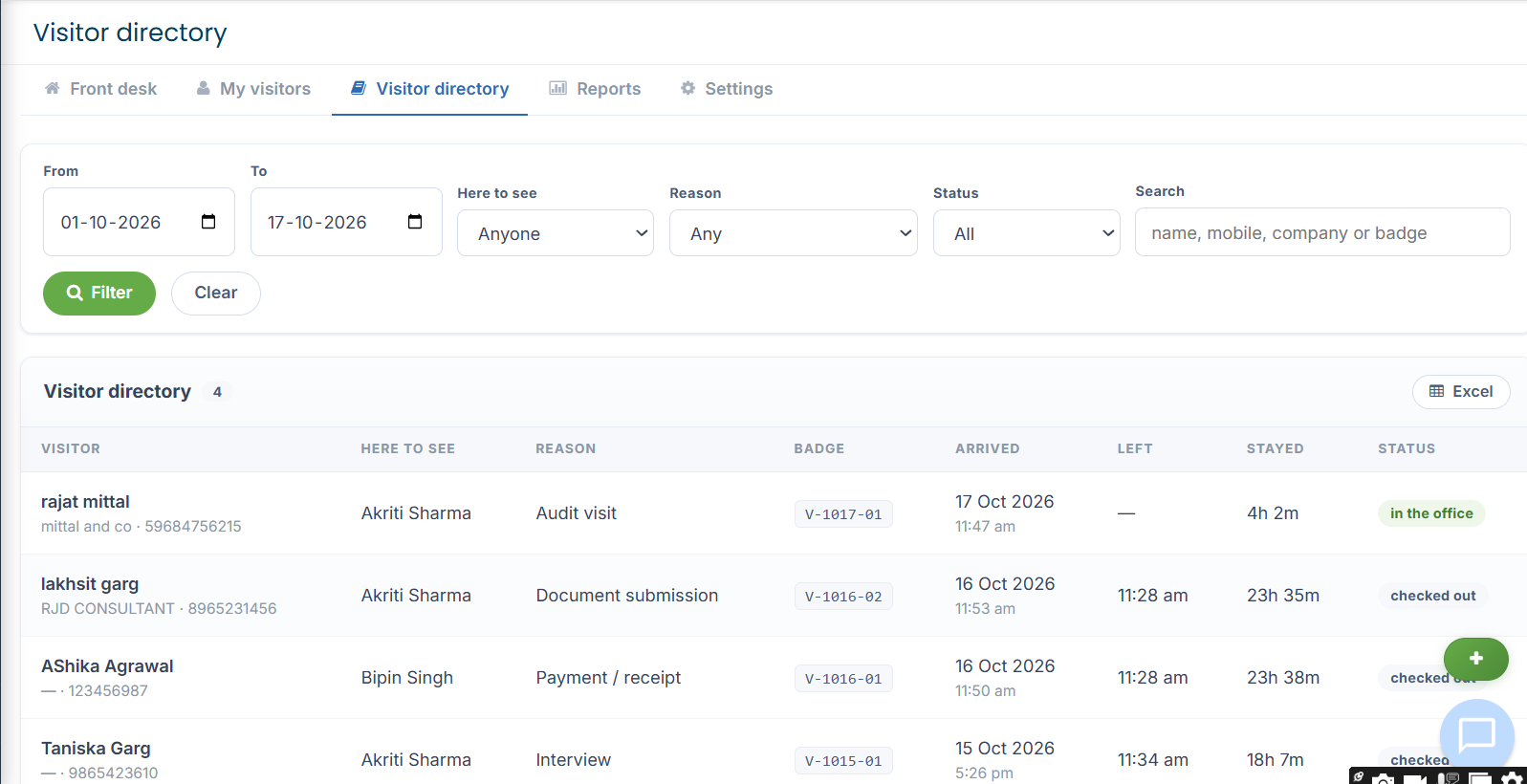
Search and Filter Options
Users can filter visitor records using the following fields:
1. From
Select the starting date for the period during which visitors were registered.
2. To
Select the ending date for the reporting period.
3. Here to See
Filter visitors according to the employee or host they came to meet. Select a specific employee name or choose Anyone to view visitors for all hosts.
4. Reason
Filter visitors according to the purpose of their visit. Available options include:
Any
Document submission
Document collection
Scheduled meeting
Walk-in enquiry
Payment / receipt
Audit visit
Interview
Vendor / service
Government / statutory
Other
5. Status
Filter visitor records according to their current or previous visit status. Available options include:
All
In the office
Checked out
Auto-closed
Cancelled
Search and Clear Filters
Select the required date range.
Choose the host, visit reason, and status as needed.
Click Search to display the matching visitor records.
Click Clear to reset the filters and return to the default directory view.
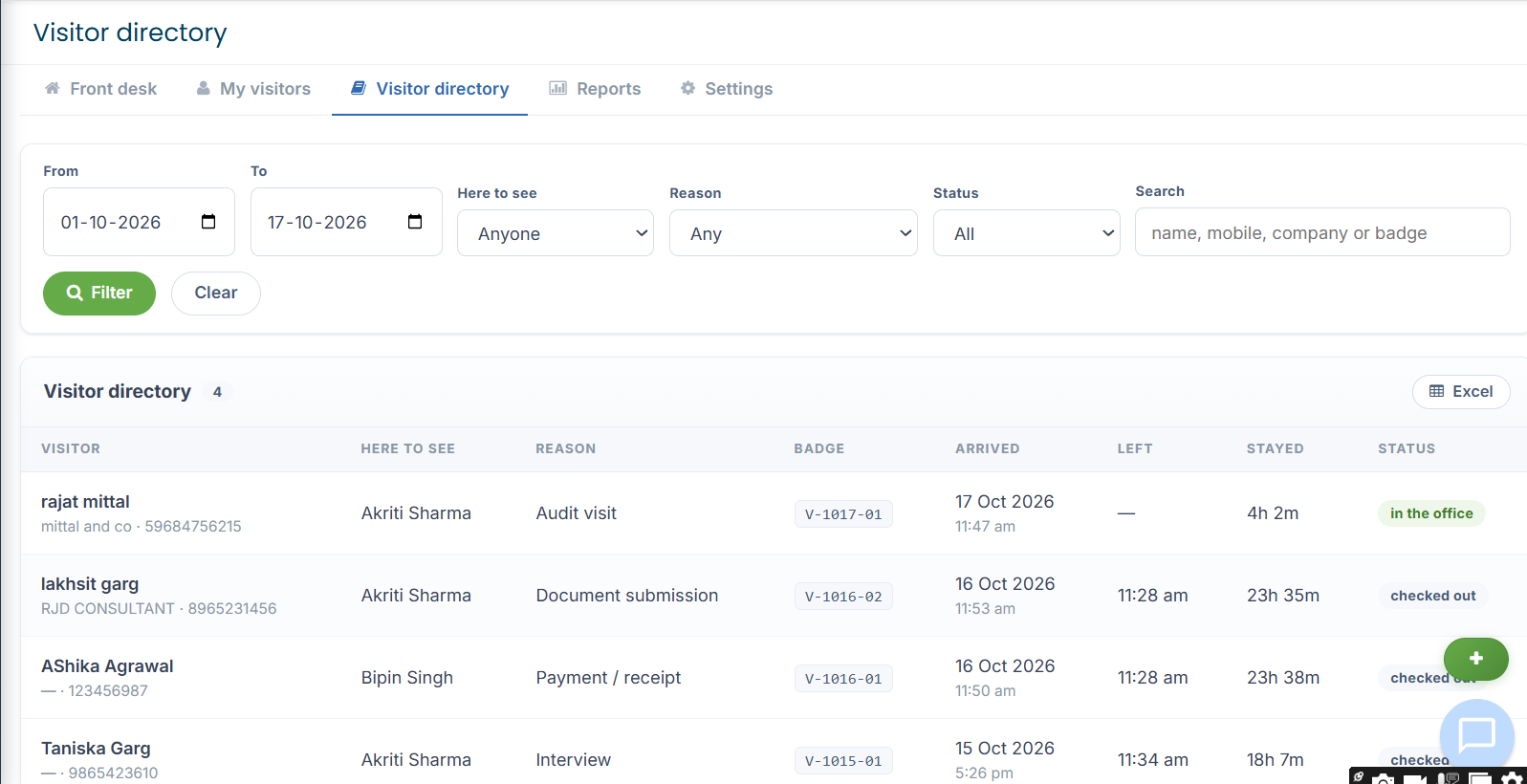
3 Visitor Directory Details
The directory displays visitor information in a tabular format, including:
Visitor: Name of the visitor.
Here to See: Employee or host the visitor came to meet.
Reason: Purpose of the visit.
Badge: Unique visitor badge number.
Arrived: Date and time of arrival.
Left: Date and time of departure, where recorded.
Stayed: Duration of the visit.
Status: Current or final status of the visit.
Click the visitor's name to open the corresponding visitor record and view its available details.
4 Excel Export
Click the Excel option to export visitor directory information for reporting and record-keeping purposes.
It is recommended to apply the appropriate date range and filters before exporting so that the report contains the required visitor records.


5 Purpose of the Visitor Directory
The Visitor Directory helps reception staff and authorized users:
Track visitor arrivals and departures.
Identify visitors who are currently in the office.
Review completed, automatically closed, and cancelled visits.
Search records by host, visit purpose, or date.
Maintain visitor records for administrative reference and reporting.
Updated 17 Oct 2026 · View on support.erpca.com