ERPCA
Video Library
Step-by-step tutorials, product walkthroughs and customer stories showing how ERPCA works.
184 videos · Page 5 of 8
Start here · Learning Series
ERPCA from setup to daysheets, in 30 episodes
The onboarding course our team walks every new firm through: account set-up, users, workflows, customers, tasks, expenses, daysheets and documents — in the order you will actually do them.
-
1
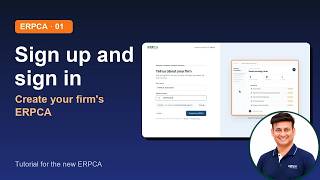 01 · Sign up and sign in: create your firm's ERPCA
-
2
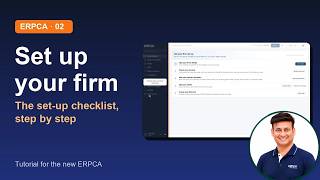 02 · Your set-up checklist: firm details, services, partner and team, first client, first task
-
3
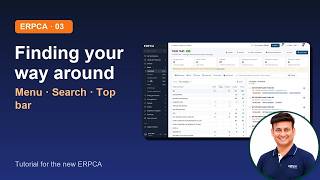 03 · Finding Your Way Around: The Menu, Search and The Top Bar
-
4
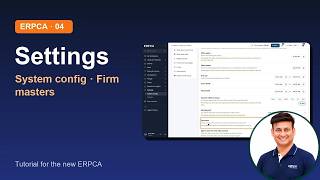 04 · Settings: Organisation Details, Branches, System Configuration
-
5
 05 · Masters: Departments, Work Categories, Teams, Holidays, Task Stages
-
6
 06 · People: Add and Import Users, Roles and Permissions, Organisation
-
7
 07 · Workflows: Services, Checklists, Recurring Schedule
-
8
 08 · Clients: Find A Client, Client 360 and Add by GSTIN
-
9
 09 · Client Groups and Importing Clients
-
10
 10 · Leads & Proposals: Pipeline, Follow-ups, Proposals, Convert to Client
-
11
 11 · My Workspace Your Daily Home Page
-
12
 12 · Work 1 Task Hub, Creating A Task, Task 360
-
13
 13 · Work 2 Planner, Review Board, Reminders
-
14
 14 · My Time The Day Sheet and The Time Tracker
-
15
 15 · Billing 1 New Bill, Ready To Bill, Bill Register
-
16
 16 · Billing 2 Receipts, Credit And Debit Notes, Statements
-
17
 17 · Expenses Expense book, Vouchers, Approvals
-
18
 18 · Compliance DSC Register, Reminders, Bill Due Reminders
-
19
 19 · Office Inward and Outward, Visitors, Documents and Passwords
-
20
 20 · People 2 Attendance, Leave, Payroll
-
21
 21 · Reports & Insights
-
22
 22 · Your Account and Connections Profile, Integrations, WhatsApp
-
23
 23 · Client Logins Activating Them and What Your Client Sees
-
24.1
 24 1 · GST Suite 1 of 5 Home, Connecting Clients and Set Up
-
24.2
 24 2 · GST Suite 2 of 5 GSTR 1, From Sales Data to Filing
-
24.3
 24 3 · GST Suite 3 of 5 GSTR 3B, From The Portal's Figures to Payment and Filing
-
24.4
 24 4 · GST Suite 4 of 5 Purchases and Credit, IMS Inbox, GSTR 2B and ITC Reconciliation
-
24.5
 24 5 · GST Suite 5 of 5 Vendors and Customers, Notices, GSTR 9 and Analysis
-
25
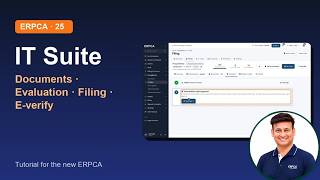 25 · IT Suite Income Tax Filings From Documents to e verification
-
26
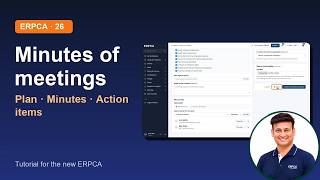 26 · Minutes of Meetings Plan A Meeting, Write The Minutes, Follow Up The Action Items
ERPCA User Tips
How to create tasks for lead in ERPCA?
ERPCA User Tips
How to schedule a call with new lead in ERPCA?
ERPCA User Tips
How to scheduled a meeting for a particular lead in ERPCA?
ERPCA User Tips
How to change the status and view all the lead’s log in ERPCA?
ERPCA User Tips
How to use lead’s filter in ERPCA?
ERPCA User Tips
How to convert lead’s into customer in ERPCA?
ERPCA User Tips
How to edit and delete lead’s details in ERPCA?
ERPCA User Tips
How can I add lead’s in ERPCA?
ERPCA User Tips
How to create new inward/ handle hardcopy of the document in ERPCA?
ERPCA User Tips
How to import bulk user’s in ERPCA?
ERPCA User Tips
How to reset password of any user in ERPCA?
ERPCA User Tips
How to manage user’s permission in ERPCA?
ERPCA User Tips
How to edit user’s details in ERPCA?
ERPCA User Tips
How to release device for user’s in ERPCA?
ERPCA User Tips
How to delete user’s in ERPCA?
ERPCA User Tips
How to transfer data(open, overdue and closed task)from one user to another
ERPCA User Tips
How to create new user or add new user in ERPCA?
ERPCA User Tips
How to assign multiple customer to single user in user’s module?
ERPCA User Tips
How to change the status of voucher in ERPCA?
ERPCA User Tips
How to create new expense for an assigned task in ERPCA?
ERPCA User Tips
How to create new voucher for approved expense in ERPCA?
ERPCA User Tips
How to apply for leave in ERPCA? | Leave Application Management in CA Office with ERPCA
ERPCA User Tips
Effortless To-Do Completion in ERPCA: A Quick Tutorial!

ERPCA User Tips